
Multiple documents, one workspace
Keep several projects open in tabs, each with its own undo history, selections and zoom. Switch without losing your place, and copy layers between documents with text, shapes, masks and effects still editable.
Work in progress — actively developed
Image Editor
Version ? · beta
A desktop image editor powered by Vulkan for Linux and Windows that brings painting, layered composition, selections, editable text, effects and shapes, and photo retouching together on a GPU-accelerated canvas.
The workspace, as it runs today. Click any screenshot to view it full size.
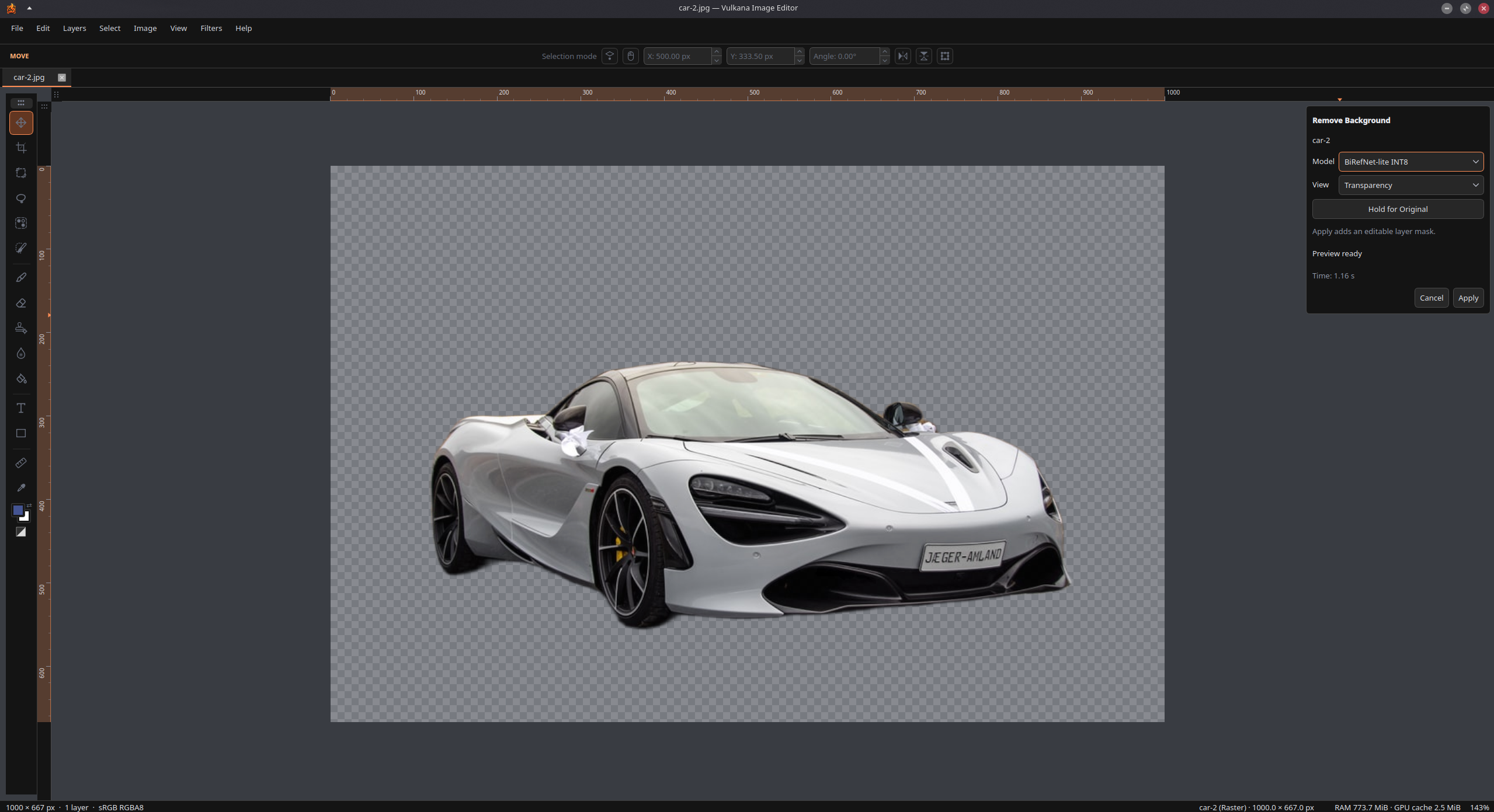
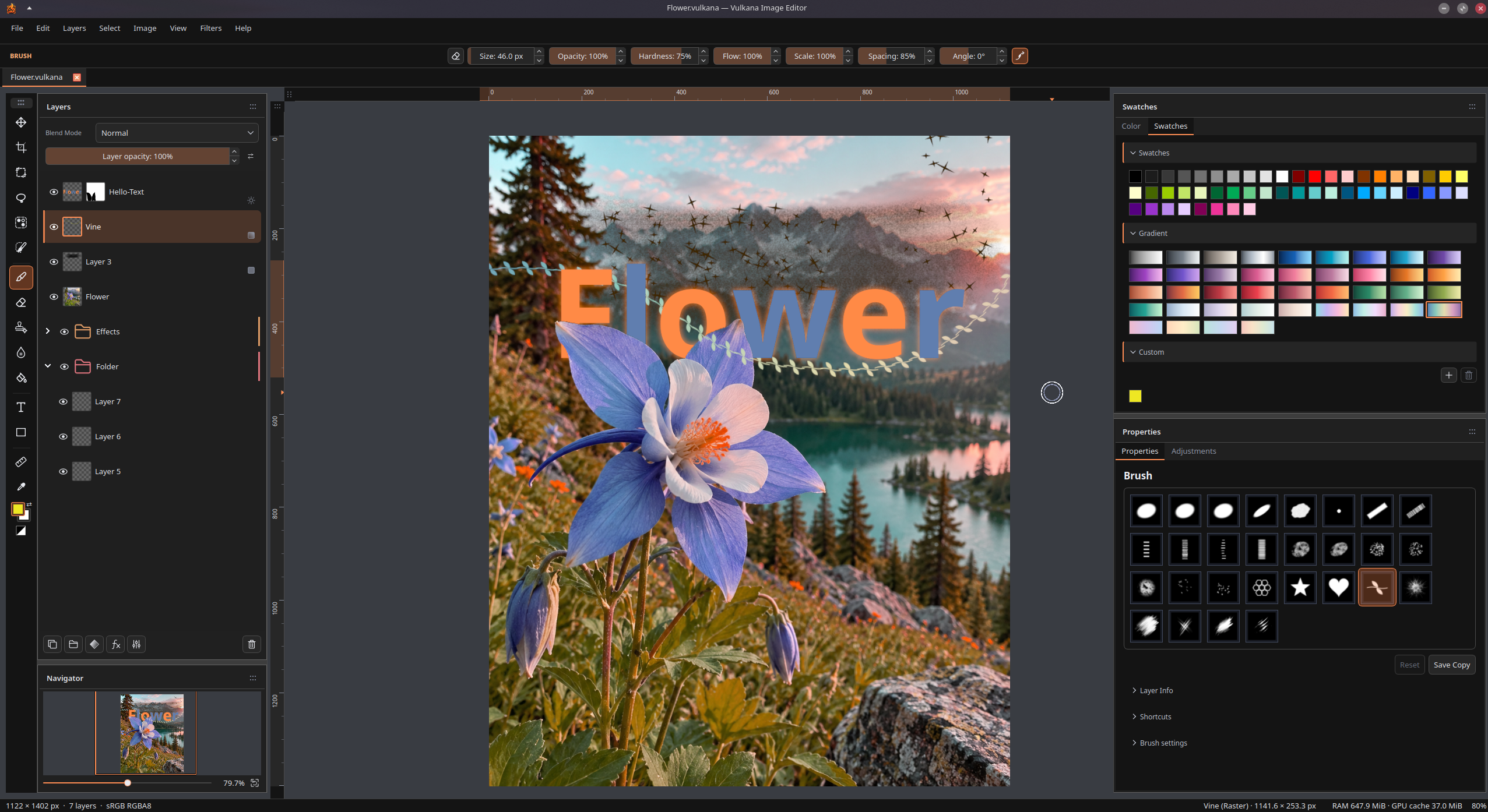
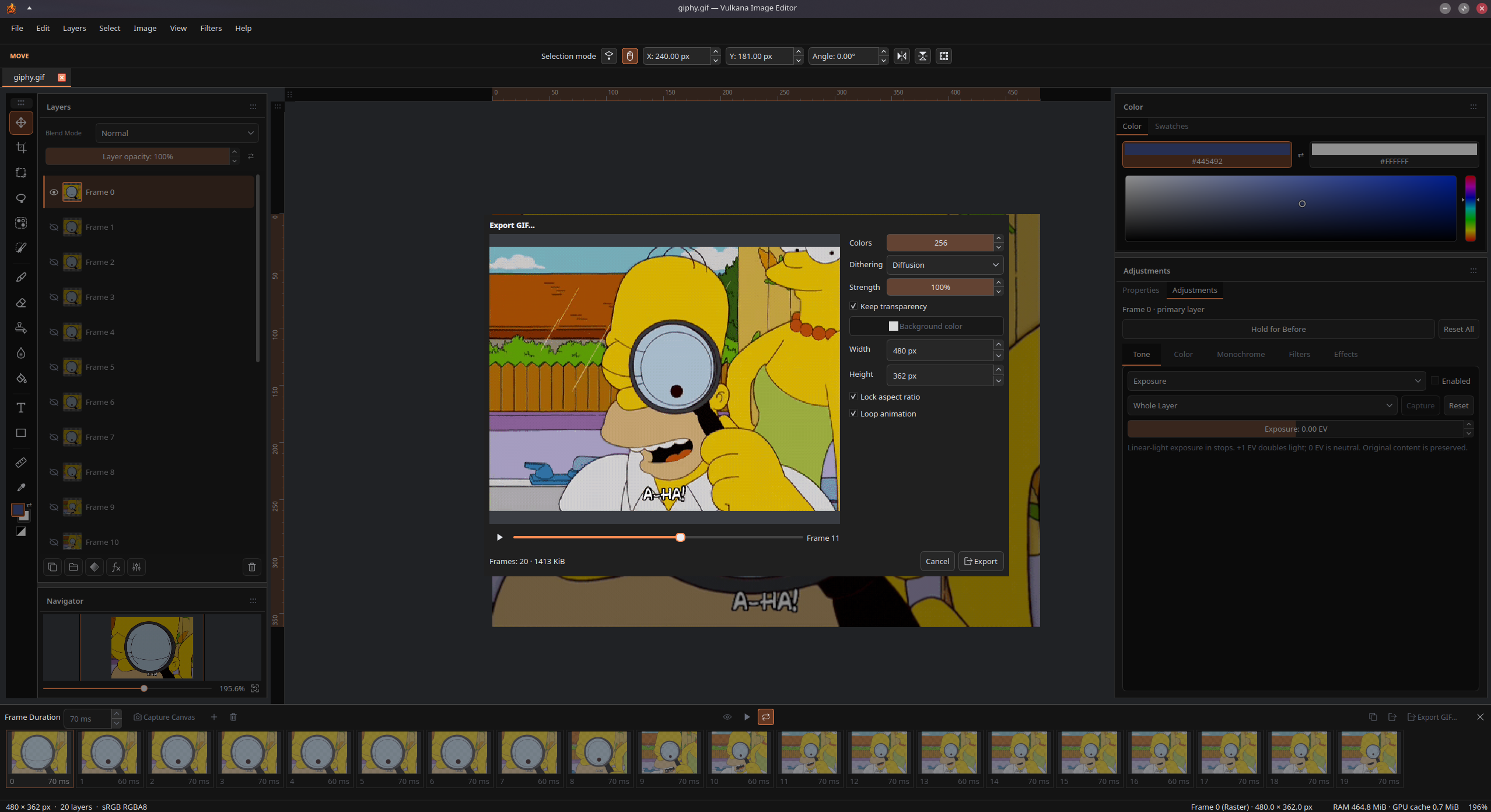
Short clips from the running application. They start playing as they scroll into view. Click one to watch it larger.
Paint, retouch and compose with editable layers, masks and effects. Make the workspace your own, and bring your work in and out with PSD, PDF and image export.
Keep several projects open in tabs, each with its own undo history, selections and zoom. Switch without losing your place, and copy layers between documents with text, shapes, masks and effects still editable.
Combine images, text and shapes with blend modes, folders and groups. Paint masks to hide or reveal content, or create a mask from your selection. Clipping groups keep artwork inside the bottom layer's silhouette without erasing the original pixels.
Move, scale, rotate, flip or distort layers, selection outlines or selected pixels. Use snapping, rulers and numeric controls for precise placement, and crop layers without discarding their hidden source content.
Paint and erase with pressure-sensitive brushes, textured tips and creative presets: ink, chisel, acrylic, bristles, chalk, charcoal, confetti and more. Tune flow, spacing, angle, smoothing and grain, then save your own presets.
Use shapes, lassos, magic wand or brush-guided Quick Selection to choose regions. Frame an object with a rough rectangle using the bundled offline Object Selection model. Clean up selections and masks with Refine Selection, live inspection and manual corrections. No model download or Python installation needed.
Write directly on the canvas with multiline text and mixed fonts, sizes, styles and colors in one layer. Keep wording and typography editable after transforms, add layer effects, and return to your text after saving and reopening.
Build with rectangles, rounded rectangles, ellipses, triangles, lines and polygons. Customize fill and stroke, then refine geometry, corner radius and outline width later. Shapes remain editable in your saved project.
Refine exposure, levels, curves and color, or work in black and white. Correct one layer, or use masked adjustment layers to affect the composition below or just one group. Stack corrections, compare before and after, and revisit settings without rewriting your source pixels.
Add Bevel & Emboss, strokes, shadows, glows, and color or gradient overlays to images, text and shapes. Fine-tune lighting and contours, combine effects, and revisit every setting later. Jump straight to an effect from the Layers panel's fx button.
Soften with Gaussian Blur, suggest movement with Motion Blur, or create lens-style bokeh. Layer filters stay editable and can use a captured selection. For a hands-on touch, paint softening directly into specific areas with the Local Blur tool.
Use Clone Stamp to copy from a chosen source, Heal to blend source texture with the destination's tone, or Spot Heal to repair a blemish using surrounding texture. Choose the approach that fits each retouch.
Bring PSDs into Vulkana's native layers, or export layered PSDs with supported editable text, shapes, masks, styles and clipping. Review conversions before committing, with raster or flattened choices when a feature cannot stay editable.
Import selected PDF pages as raster layers or separate documents. Export a single composition or layers and groups as pages, with control over resolution, page size, order and transparency. Keep supported text selectable in exported PDFs.
Arrange panels as tabs, dock them beside one another or float them over the canvas. Pan and zoom with the Navigator, keep reusable custom swatches, and personalize themes and shortcuts. Choose from 16 interface languages without restarting. Your layout and preferences stay with you between sessions.
Save .vulkana projects with layers, masks, text, shapes and non-destructive edits intact. Use Pixel Preview to inspect the final pixels, then export PNG, JPEG or WebP at your chosen size. Keep the editable project for your next revision.
Vulkana is under active development. The feature set keeps growing, and rough edges are expected.
Try Vulkana on Linux with AppImage, RPM or DEB, or on Windows with a portable ZIP.
A single portable file for compatible Linux distributions. Make it executable and run it, no installation required.
RPM build for Fedora 44 and compatible systems. Installs through DNF with desktop integration.
DEB build for Ubuntu 24.04 and compatible systems. Installs through APT with desktop integration.
A portable build for Windows 11. Extract the folder and run Vulkana, no installer needed.
Beta builds may still contain rough edges. Please keep work you care about backed up.
Fedora 44 baseline · x86_64
Import the Vulkana signing key once, download the package, then install it with signature checking enabled.
This lets RPM verify that the package was signed by the Vulkana release key.
sudo rpmkeys --import https://vulkana.app/downloads/Vulkana-Signing-Key.asc
Key fingerprint26D2 E45D F7C2 D183 3AFA C3E2 1D69 A2B5 8382 DFBC
Current beta build: Loading release details…
SHA-256: Loading release details…
Run this from the directory containing the downloaded RPM.
Loading release details…
Ubuntu 24.04 baseline · amd64
Download the Debian package, then install it with APT.
Current beta build: Loading release details…
SHA-256: Loading release details…
Run this from the directory containing the downloaded DEB.
Loading release details…
Windows 11 · x64
Download the ZIP, extract the whole folder, then open Vulkana.
Windows may warn about an unrecognized app or unknown publisher, or block this build. Only run downloads you trust. If you run into issues or prefer to build it yourself, visit the GitHub repository for source code and build instructions.
Current beta build: Loading release details…
SHA-256: Loading release details…
Use Extract All to unpack the ZIP, then open bin\imageeditor.exe. Keep the bin and share folders together.
Nothing is extracted, installed or launched automatically. Your preferences stay in your Windows user profile when you replace the application folder.
Portable · x86_64
Download the AppImage, make it executable, then launch it. No installation or root access needed.
Current beta build: Loading release details…
SHA-256: Loading release details…
Verify it against the file with the command below.
Loading release details…
Loading signature…
Run this from the directory containing the downloaded AppImage.
Loading release details…
Double-click the file, or run it from a terminal.
Loading release details…